Copart Fee Calculator
Quickly calculate all fees associated with purchasing a vehicle from Copart auctions, including buyer fees, taxes, and transportation costs.
Auction Details
Fee Breakdown
Purchase Summary
Total Estimated Cost
$0.00* Fees may vary based on location and vehicle type
Savings Tip
Premium members save on buyer fees. Consider upgrading if you purchase multiple vehicles per year.
Enter vehicle details and
click “Calculate Fees” to see results
How to Use This Calculator
Enter the vehicle purchase price – this is your winning bid amount at auction.
Select your membership type – fees vary for Basic, Premium, and Non-Members.
Choose the auction location – fees differ by country and sometimes by state.
Select vehicle type – standard vehicles, heavy equipment, and motorcycles have different fee structures.
Check any additional options like online bidding or delivery services.
Click “Calculate Fees” to see a detailed breakdown of all costs.
Best Copart Fee Calculator – Easily Estimate Your Auction Costs
Understanding the fees associated with buying or selling vehicles through Copart is vital to help circumvent unwelcome charges, and a Copart Fee Calculator assists with estimating the total cost to be paid, which includes buyer’s fees, storage fees, and other applicable charges. Regardless of whether you are a first-time bidder or a seasoned dealer, the tool is guaranteed to save you valuable resources, money, and confusion.
What is a Copart Fee Calculator?
A Copart Fee Calculator is an online auction tool that assists in estimating the total fees payable upon purchasing a vehicle from Copart’s auto auctions. Copart is a widely used platform for buying cars, trucks, motorcycles, and salvage vehicles, and offers a unique value proposition due to its affordable prices. While the platform is an auction with a competitive winning bid, the user must consider several hidden costs associated with the auction.
These fees can include:
- Buyer’s fee
- Internet bid fee
- Gate fee
- Storage fee (if applicable)
- Membership fee (for certain account types)
The Copart Fee Calculator receives specific inputs, including the winning bid amount, and processes them instantly to provide the outcome.
Why Use a Copart Fee Calculator?
Numerous buyers tend to underestimate the costs involved in purchasing a vehicle at auction. With fees that can easily slip under the radar, the spending total can exceed the budget, especially for auctions where buyers operate under tight financial constraints.
Here’s why this tool matters:
- Payment Forecasting – Determine costs before bidding.
- Eliminate Unforeseen Charges – No auction price surprises.
- Time Savings – No lengthy manual computations required.
- Visibility – See how each individual fee contributes to the total.
- Improved Decision Making – Determine a capped bid while factoring in every known cost.
How Does the Copart Fee Calculator Work?
Fee calculators for Copart work on simple parameters. The user must fill in some basic auction-specific details.
- Fill in the Auction Bid Value – The price you are willing to pay to win.
- Select Membership Type – Choose between a public or dealer account.
- Set Region – Different areas have different fees.
- Define Extra Services – Include fees for optional delivery, storage, or transport.
- Click Calculate – The total is computed instantly.
The tool will display:
- Buyer’s Fee (calculated on the bid amount)
- Internet Bid Fee (flat rate)
- Gate Fee (standard handling fee)
- Storage Fee (if the vehicle is not picked up on time)
- Sales Tax (applied per regulations of the state or country)
Breakdown of Copart Fees
To fully utilize the Copart Fee Calculator, it is essential to know what each fee means:
1. Internet Bid Fee
A small flat fee associated with placing bids online.
2. Gate Fee
Covers handling as well as paperwork for the vehicle’s release.
3. Storage Fee
If the vehicle is not picked up within a specific period, a daily storage fee applies.
4. Membership Fee
An annual fee for specific account types. It is not always included in calculator results.
Benefits of Using the Copart Fee Calculator Before Bidding
- Estimate costs with greater accuracy and avoid overspending.
- Save time as there is no need to check fee tables.
- Flexibility to adjust bid values and see fee changes.
- Improve bidding strategy with a focus on total value after fees.
Strategies for Winning Bids While Reducing Costs
- Set a Maximum Total Budget – Use the calculator to set your limit.
- Avoid Vehicle Storage Fees – Pick up vehicles promptly.
- Be Aware of Local Taxes – Some states have higher rates.
- Check Other Listings – Another auction may have lower overall costs.
- Look for Promotional Offers – Fee reductions may be available.
Example: Estimating Costs with the Copart Fee Calculator
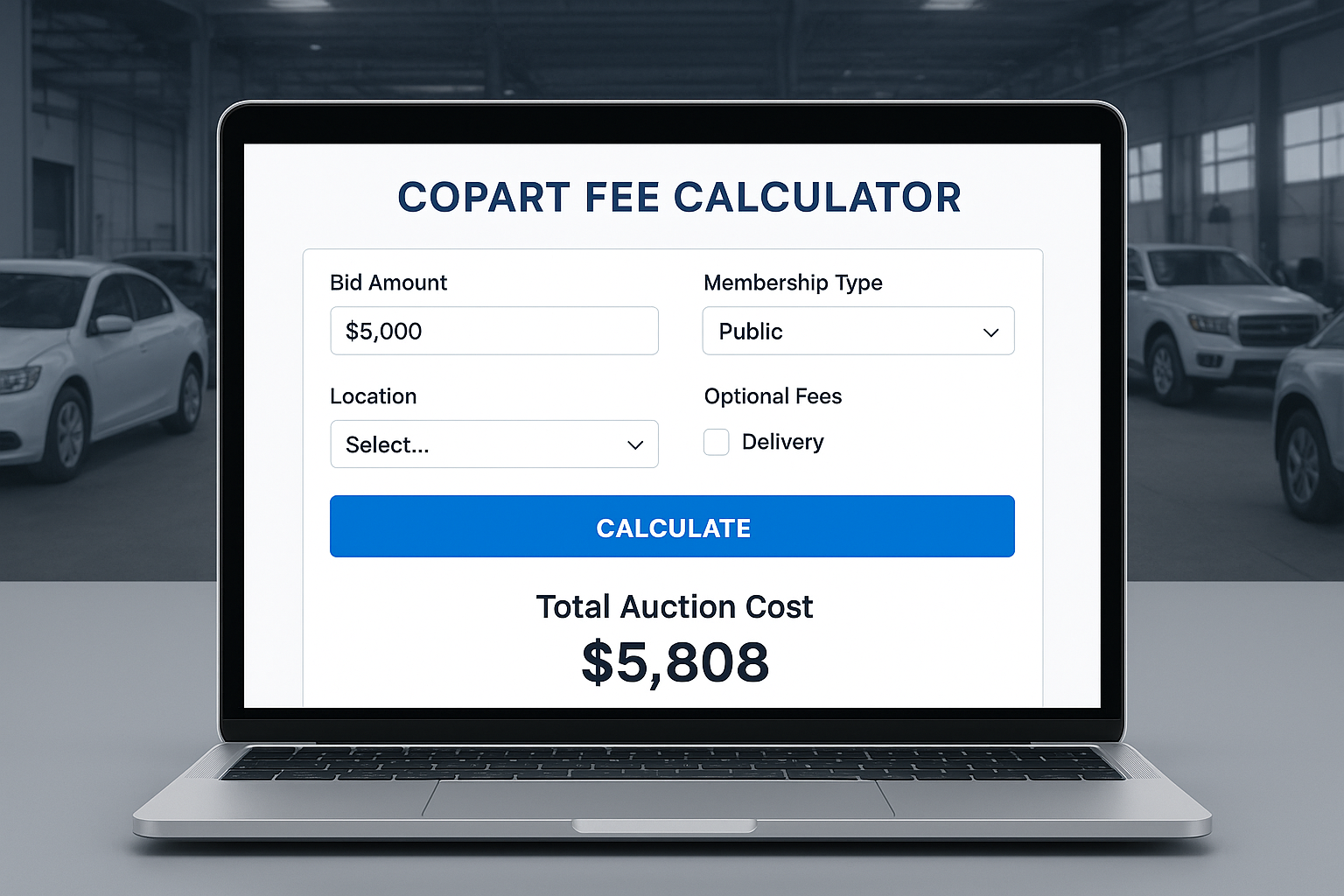
If you plan to bid on a car and expect to win at $5,000, here’s how the Copart Fee Calculator might break it down:
- Winning Bid: $5,000
- Buyer’s Fee: $350
- Internet Bid Fee: $79
- Gate Fee: $79
- Storage Fee: $0 (picked up within time)
- Sales Tax: $300
Total Estimated Cost = $5,808
This helps you plan in advance and set a bid limit that keeps you within budget.
Where to Find the Copart Fee Calculator
You can access the Copart Fee Calculator in:
- The Help section of Copart’s official website.
- Trusted auto auction websites.
- Our platform – offering instant, accurate, and user-friendly fee calculations.
Frequently Asked Questions (FAQ) Regarding the Copart Fee Calculator
Q1: Does the Copart Fee Calculator provide precise estimations?
It provides close estimates based on the latest fee schedules.
Q2: Can I access the calculator without a Copart account?
Yes, you can. Having an account, however, allows you to see fees relevant to your membership.
Q3: Can I include shipping costs in the calculation?
Some calculators allow you to add transportation costs, but in most cases, shipping is calculated separately.
Q4: How often are the fees updated in the calculator?
Reputable calculators update regularly in line with Copart’s official fee schedule.
Q5: Can I determine my maximum bid using the calculator?
Absolutely. Knowing your total cost allows you to set a winning bid limit within budget.
Conclusion
It helps you avoid common bidding mistakes by calculating total costs accurately. This prevents overspending caused by underestimating fees.
Before placing your next bid, run the numbers through a Copart Fee Calculator – your finances will thank you.
🚀 Try Our Other Calculator Tools for Free 🔗 Follow us on LinkedIn